
Current release
NoEditorEngine 0.8 Gameplay Systems
Prefabs, save/load, health and damage, enemy AI, pathfinding, dialogue, quests, inventory, scene transitions, and camera effects for code-first games.
Open releaseBuild 2D games with C# scripts on a lightweight C++ runtime. No scene editor, no drag and drop workflow - just project files, code, assets, build, and play.
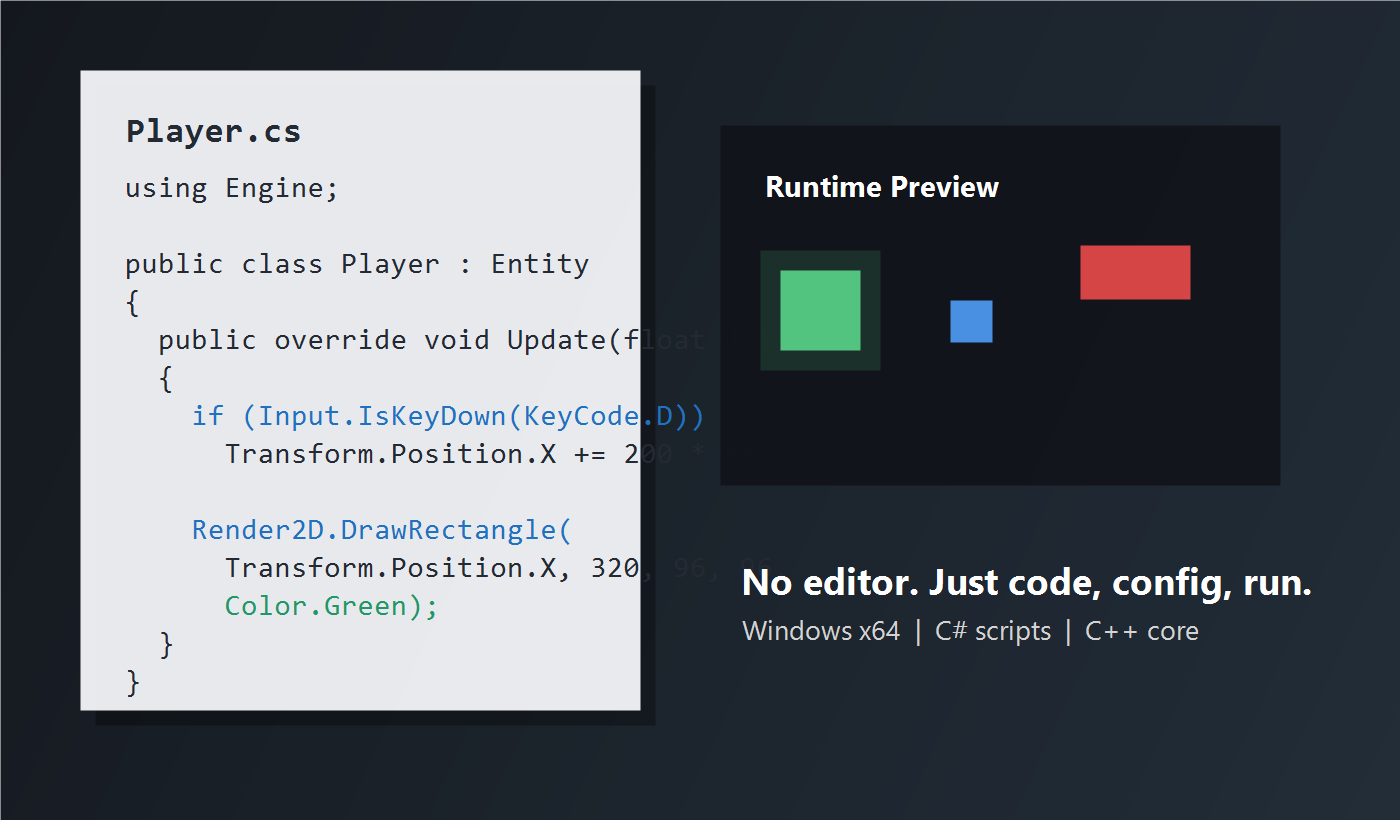
Current release
Prefabs, save/load, health and damage, enemy AI, pathfinding, dialogue, quests, inventory, scene transitions, and camera effects for code-first games.
Open release
Coming next
The next update will focus on a cleaner C# API, stronger autocomplete, XML docs, generated API docs, migration guides, examples, Event Bus, Result<T>, and fluent APIs.
See roadmapv0.8 update notes
This release turns NoEditorEngine into a more complete code-first gameplay runtime. You still build games with C# scripts, project files, assets, and Preview Play.
Define reusable gameplay objects in .neprefab files and spawn them from C# with Prefab.Instantiate.
Save/load, health, damage, inventory, quests, dialogue, scene transitions, and GameState are ready for small games.
Chase, patrol, shooter AI, tag lookup, action mapping, and tilemap-aware pathfinding help build playable demos faster.
Shake, zoom, fade, level transitions, dialogue flow, and simple scripted events support more polished gameplay moments.
Coming in v0.9
v0.9 is planned as an API-focused update. These features are listed as upcoming roadmap items and are not part of the current installer yet.
The public API will become easier to read and write while old calls stay available as deprecated compatibility paths.
Autocomplete will get stronger, XML docs will ship with Engine.dll, and generated API docs will be published.
A migration guide and ApiExamples folder will show how to move projects forward without breaking existing games.
Event Bus, Result<T>, and fluent Camera, AI, and UI APIs are planned for cleaner gameplay code.
Code Workspace
NoEditorEngine keeps the code-first workflow and adds the systems around it: modern Monaco code editing, asset and project tools, build profiles, export, gameplay APIs, diagnostics, console logs, teaching cards, and temp Preview Play.
Modern file tree with clean icons, animated folders, refresh, and New C# Script support.
C# and JSON editing with line numbers, custom dark theme, Engine API completion, and diagnostics markers.
Open commands with Ctrl+Shift+P for build, preview, settings, teaching panel, temp cleanup, and project actions.
The game still builds into a temp folder, runs in the C++ runtime, captures logs, then cleans temporary files safely.
Runtime
The runtime loads your project.json, starts the C# assembly, updates entities, steps fixed-timestep physics, renders sprites and tilemaps, and keeps camera movement stable.
using Engine;

public class Player : Entity
{
    Rigidbody2D body;

    public override void Start()
    {
        body = AddComponent<Rigidbody2D>();
        Camera.Main.Follow(this, smooth: 8.0f);
    }

    public override void Update(float dt)
    {
        Vector2 move = Vector2.Zero;
        if (Input.IsKeyDown(KeyCode.D)) move.X += 1;
        if (Input.IsKeyDown(KeyCode.A)) move.X -= 1;
        body.Velocity = move.Normalized() * 300;
    }
}
Download
One installer puts the Code Workspace, runtime binary, Engine.dll API, BasicGame template, and build/preview scripts on your computer.
Get started
NoEditorEngine-0.8-Setup.exe.NoEditorEngine Code Workspace from Desktop or Start Menu.project.json.Versions
Download the current installer or keep an older runtime package for compatibility.
Gameplay Systems Update with prefabs, save/load, health and damage, enemy AI, pathfinding, input actions, inventory, quests, dialogue, scene transitions, camera effects, GameState, and a playable BasicGame demo.
Developer API Upgrade: simplified C# API, deprecated-but-compatible old API, stronger autocomplete, XML docs, generated API docs, migration guide, ApiExamples, Event Bus, Result<T>, and fluent Camera / AI / UI APIs.
Project workflow and asset pipeline with project validation, asset manifest, sprite atlas, TextRenderer, HUD, build profiles, Windows export, templates, packages, smart diagnostics, recent projects, and asset preview.
Modern UI Overhaul with Electron + React, Monaco editor, dark professional shell, command palette, settings modal, toast notifications, modern diagnostics, console, and project explorer. No node graph or visual scripting.
Code Workspace, installer, autocomplete, teaching panel, diagnostics, temp Preview Play, runtime console capture, and IDE logo integration.
Fixed timestep physics, 240 FPS frame pacing, sprite batching, texture cache, culling, broadphase collision, optimized tilemaps, audio, particles, and profiler.
Rigidbody2D collision, tilemaps, animation, camera deadzone, debug collider drawing, and Learn page support.
PNG sprites, camera follow, component API, BoxCollider2D, Scene.Spawn, and BasicGame updates.
Initial C# scripting, keyboard input, project config, script host, and rectangle rendering preview.
Support
Use the Learning page for a full first-game path, then keep the workspace open while you build. The engine stays code-first, but the surrounding workflow is now easier to use.